Pressemeldungen

  • Pressemeldungen

    FinalWire veröffentlicht AIDA64 v8.20

    Das allseits beliebte Diagnose und Monitoringtool AIDA64 ist in Version 8.20 veröffentlicht worden. Die Highlights lauten:

    New in AIDA64 8.20

    • Turing (Turzx) 5.2-inch and 8-inch LCD support
    • Optimized memory bandwidth benchmark run times on AMD Milan, Rome, Shimada Peak processors
    • Seamless SensorPanel Experience Across Multiple Displays
      Your SensorPanel now behaves exactly as expected, even after system sleep, restarts, or display changes.
    • Fixed: RemoteSensor character encoding issues 

    Support for the latest hardware technologies

    AMD Radeon Pro W7900D, AMD Radeon RX 7700 nVIDIA RTX Pro 500 Blackwell Embedded, RTX Pro 2000 Blackwell Embedded, RTX Pro 4000 Blackwell Embedded, RTX Pro 5000 Blackwell Embedded, RTX Pro 6000D Blackwell Max-Q Workstation Edition, RTX Pro 6000D Blackwell Workstation Edition. 

    Key Highlights Introduced in AIDA64 8.00

    • A brand-new 64-bit engine
      Dramatically faster startup, better responsiveness, and a future-proof technical base.
    • OpenCL support for NVIDIA RTX 5000 Series
      Enables GPGPU benchmarks and stress tests on the latest GeForce cards.
    • Flawless multi-monitor and per-monitor DPI behavior
      Move windows or SensorPanels between monitors, and AIDA64 instantly adjusts.
    • Full Unicode support
      Perfect localization and consistent language switching, without Windows codepage issues.
    • Windows PE v3.0+ compatibility
      AIDA64 now runs smoothly in modern live environments used for diagnostics and recovery.
    • New SPZIP SensorPanel format
      Share, edit, and store layouts with dramatically smaller file sizes.

    Compatibility with previous Windows versions

    The move to a modern compiler and native 64-bit binaries has also resulted in a significant shift: AIDA64 v8.00 will no longer support 32-bit Windows versions or Windows XP x64. While this decision was necessary to modernize the software and enable the new features, it marks a clear direction towards supporting the latest operating systems and hardware.

    Check legacy compatibility of AIDA64 versions.

    Best Practices for Upgrading

    Moving to AIDA64 v8.00 is straightforward, but there are a few important steps to follow. Our migration guide highlights the required adjustments, including copying INI files from the old Program Files (x86) path, ensuring compatibility with new Unicode reports, and verifying system prerequisites.

    Pressemeldung: klick

  • Pressemeldungen

    FinalWire veröffentlicht AIDA64 v7.70

    Das allseits beliebte Diagnose und Monitoringtool AIDA64 ist in Version 7.70 veröffentlicht worden. Die Highlights lauten:

    New features & improvements

    • Text scaling and other accessibility related improvements
    • SensorPanel enhancements: new color picker dialog, grid lines, custom gauges with up to 101 states, new date and time representation items
    • Preliminary support for AMD Zen 6 desktop, server and mobile processors
    • Preliminary support for Intel Wildcat Lake CPU
    • Improved support for AMD Turin, Turin-D, Shimada Peak processors
    • Improved support for Intel Bartlett Lake-S CPU
    • Elgato Stream Deck MK.2, Stream Deck Mini MK.2, Stream Deck Neo, Stream Deck Plus, Stream Deck XL v2 LCD support
    • Matrix Orbital EVE4-24, EVE4-43, EVE4-52, EVE4-101 (1024×600) LCD support
    • SteelSeries Apex 9 TKL, Apex Pro Gen 3, Apex Pro TKL Gen 2, Apex Pro TKL Gen 3, Apex Pro TKL Wireless, Apex Pro TKL Wireless Gen 3, Arctis Nova Pro, Arctis Nova Pro Wireless, Arctis Pro, Arctis Pro Wireless, GameDAC OLED display support
    • Turing (Turzx) 8.8-inch v1.1 LCD support
    • VU1 display support
    • Support for PCI Express 7.0 controllers and devices
    • RAID member enumeration for Intel VMD NVMe RAID arrays
    • GPU details for AMD Radeon AI Pro R9700, Radeon RX 9060, Radeon RX 9060 XT
    • GPU details for Intel Battlemage (BMG-G31)
    • GPU details for nVIDIA GeForce RTX 5050 and GeForce RTX 5060

    Pressemeldung: klick

  • Pressemeldungen

    FinalWire veröffentlicht AIDA64 v7.65

    Das allseits beliebte Diagnose und Monitoringtool AIDA64 ist in Version 7.65 veröffentlicht worden. Die Highlights lauten:

    New features & improvements

    • Greek localization
    • Improved support for Intel Panther Lake CPU
    • Asus Astral-RTX5000 Series GPU sensor support
    • New hot key option to reset SensorPanel position
    • Improved support for Zhaoxin KX-6000G and KX-7000 Series processors
    • MSI MEG Ai1600T PSU sensor support
    • GPU details for AMD Radeon RX 7650 GRE
    • GPU details for nVIDIA GeForce RTX 5060 Ti

    Pressemeldung: klick

  • Pressemeldungen

    FinalWire veröffentlicht AIDA64 v7.60

    Das allseits beliebte Diagnose und Monitoringtool AIDA64 ist in Version 7.60 veröffentlicht worden. Die Highlights lauten:

    Kernel Driver security improvements

    As part of our ongoing commitment to security and performance, we have worked closely with Microsoft to implement several security improvements in the AIDA64 kernel driver. These enhancements ensure better protection, stability, and compatibility for all users. With the release of AIDA64 v7.60, we are introducing an updated kernel driver that includes all necessary refinements.

    SensorPanel Core Template improvements

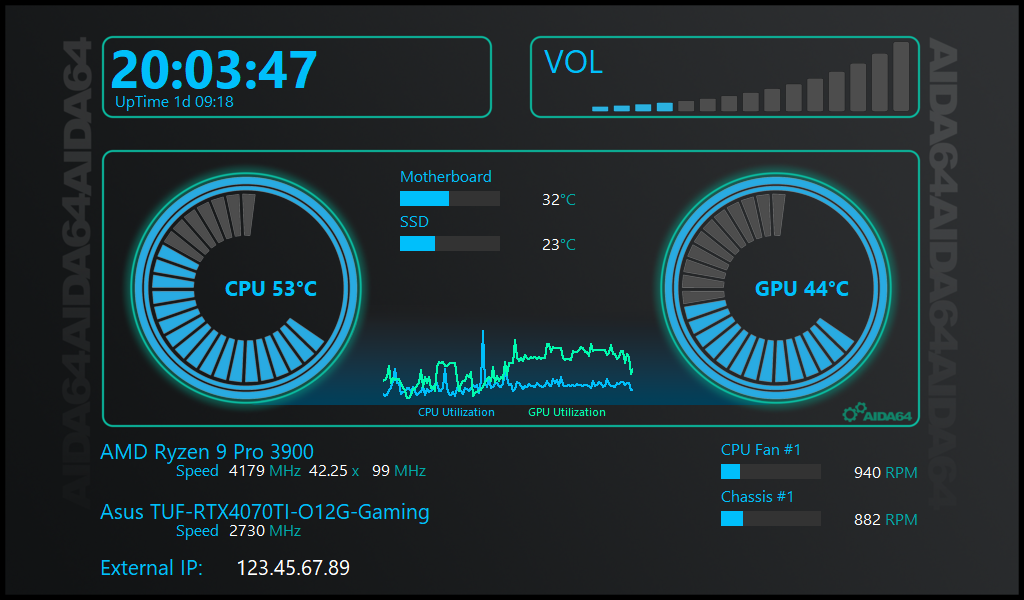
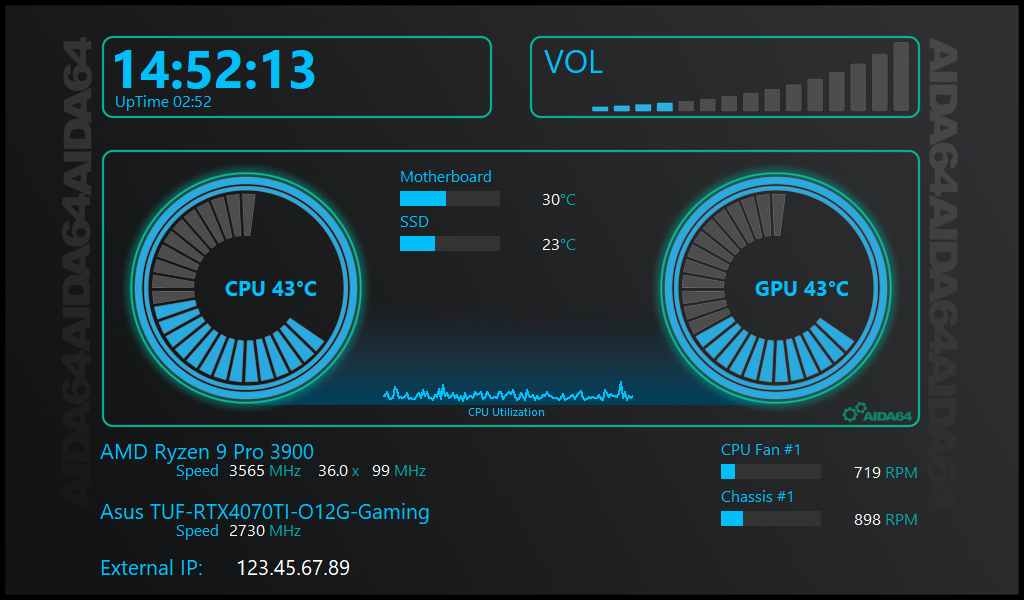
    The SensorPanel offers a great starting point with a built-in Core template, designed for the widely used 1024×600 resolution. Whether you’re new to customization or a seasoned pro, this template provides a solid foundation for monitoring and personalizing your setup.

    With this update, the SensorPanel also introduces:

    • GPU Utilization Graph – Now you can monitor GPU load at a glance.
    • Wide version – We have created a wide version of the panel for 1920×480 sized panels. 

    The Core template features a sleek and functional design, displaying key metrics like CPU and GPU temperatures, fan speeds, and system uptime. It’s an excellent starting point, with plenty of room for customization.

    In addition to the standard 1024×600 version, we’ve also introduced a wide format (1920×480) for larger panels. This version is available for download separately as a dedicated package.

    You can find more details about the new template in the User’s Manual. Additionally, you can download the graphics files for the template there.


    Discontinued support for Windows 95, 98, Me

    After 30 years of supporting the Windows 95 family, AIDA64 reached the point of no longer fitting into the memory constraints of those archaic Windows versions. Windows 2000 and later builds are still fully supported by AIDA64 v7.60.

    Support for the latest hardware technologies

    Multi-threaded OpenCL GPGPU benchmarks, graphics processor, OpenGL and GPGPU details, temperature and cooling fan monitoring for the latest GPUs: AMD Radeon RX 9070, Radeon RX 9070 XT; nVIDIA B200, GeForce RTX 3050 A, GeForce RTX 5070, GeForce RTX 5070 Ti, GeForce RTX 5080, GeForce RTX 5080, GeForce RTX 5090, GeForce RTX 5090 D, GeForce RTX 5090 Laptop. Asus ROG Ryujin III Series and Turing (Turzx) LCD support. Corsair HX1200i 2023 PSU sensor support.

    Online Documentation

    We’ve transitioned from the previous offline user manual to an extended, online version that is always up to date. This new manual offers comprehensive, real-time information and ensures that users have access to the latest guidance and support. By moving to an online format, we can continuously update and improve the content, providing a more efficient and user-friendly experience.

    You can reach the Online User Manual here, or by pressing the „F1“ key in AIDA64.

    Pressemeldung: klick

  • Pressemeldungen

    FinalWire veröffentlicht AIDA64 v7.50

    Das allseits beliebte Diagnose und Monitoringtool AIDA64 ist in Version 7.50 veröffentlicht worden. Die Highlights lauten:

    Introducing the SensorPanel Core Template

    AIDA64’s SensorPanel now gets even better! It includes a great starting point with a built-in Core template that covers all the basic monitoring needs. Whether you’re a beginner or a customization pro, this template provides the perfect foundation to improve and personalize your own version.

    With this update, the SensorPanel also introduces:

    • Dynamic Image Resizing for effortless adjustments
    • Background Image Support to enhance visual appeal
    • Optimized Rendering with Image Caching for smoother performance

    The Core template features a sleek and functional design, presenting key metrics such as CPU and GPU temperatures, fan speeds, and system uptime. It’s an excellent starting point for monitoring your hardware, with plenty of room for personalization to make it uniquely yours! You can find more details about the new template in the User’s Manual. Additionally, you can download the graphics files for the template there.


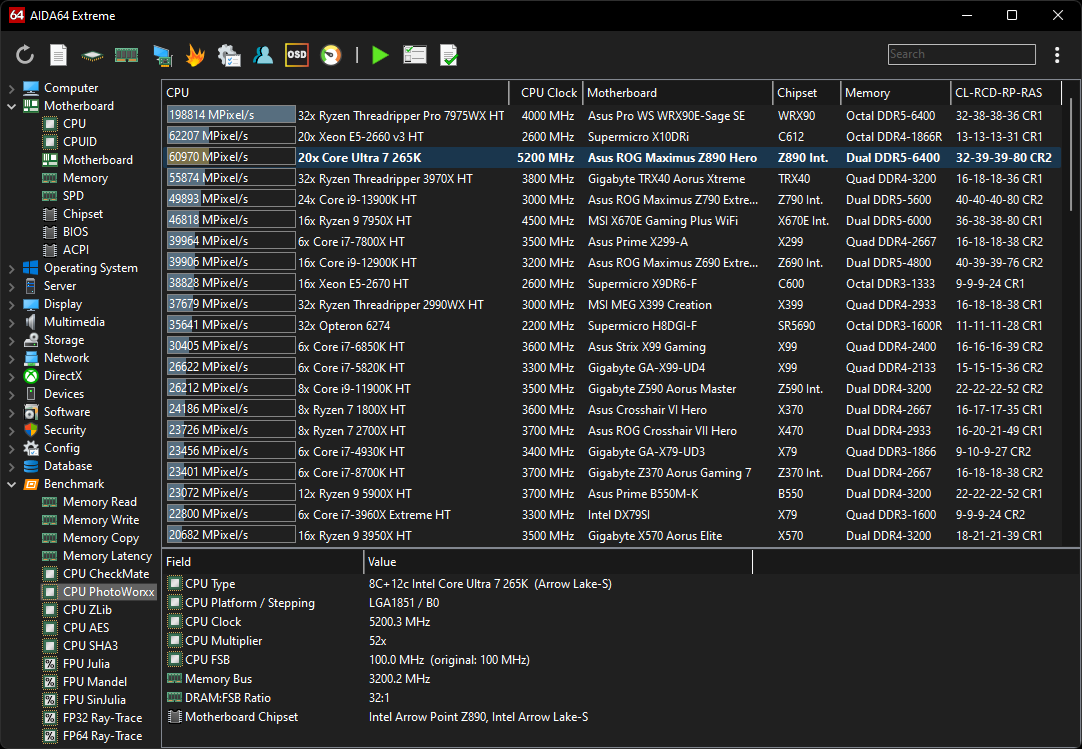
    AVX2 optimized benchmarks for Intel Arrow Lake CPU

    64-bit multi-threaded AVX2 optimized benchmarks for Intel Core Ultra 200 “Arrow Lake” desktop processors. Detailed chipset information for Intel “Arrow Point” Z890 chipset and for the integrated memory controller of Intel “Arrow Lake” processors. AIDA64 benchmarks and System Stability Test now utilize AVX-512, AVX2, AVX, Fused Multiply-Add (FMA) instructions, and AES-NI hardware acceleration of capable AMD and Intel processors. Improved support for Intel “Panther Lake” SoC. Preliminary support for Intel “Diamond Rapids” and “Nova Lake” processors.

    Support for the latest hardware technologies

    Multi-threaded OpenCL GPGPU benchmarks, graphics processor, OpenGL and GPGPU details, temperature and cooling fan monitoring for the latest GPUs: Intel Arc B570, Arc B580; nVIDIA H200 NVL.

    Pressemeldung: klick

  • Pressemeldungen

    FinalWire veröffentlicht AIDA64 v7.40

    Das allseits beliebte Diagnose und Monitoringtool AIDA64 ist in Version 7.40 veröffentlicht worden. Die Highlights lauten:

    AVX-512 accelerated benchmarks for AMD Ryzen 9000 Granite Ridge CPU

    AIDA64 CPUID Panel, Cache & Memory Benchmark panel, GPGPU Benchmark panel, and all cache, memory and processor benchmarks are fully optimized for AMD Zen 5 based Ryzen 9000 Granite Ridge desktop processors, utilizing AVX-512, AVX2, FMA3, AES-NI and SHA instructions. Detailed chipset information for AMD 800-Series chipsets, as well as the integrated memory controller and integrated south bridge of Ryzen 9000 processors. Enhanced support for AMD X870 and X870E chipset motherboards.

    Further optimized SHA3 benchmark on AVX-512 capable processors

    The existing 64-bit multi-threaded SHA3-512 cryptographic hash benchmark has received further optimizations to accelerate it on AVX-512 capable processors.

    Support for the latest hardware technologies

    Multi-threaded OpenCL GPGPU benchmarks, graphics processor, OpenGL and GPGPU details, temperature and cooling fan monitoring for the latest GPUs: AMD Radeon Pro W7900 Dual Slot; nVIDIA H200. 

    Online Documentation

    We’ve transitioned from the previous offline user manual to an extended, online version that is always up to date. This new manual offers comprehensive, real-time information and ensures that users have access to the latest guidance and support. By moving to an online format, we can continuously update and improve the content, providing a more efficient and user-friendly experience.

    You can reach the Online User Manual here, or by pressing the „F1“ key in AIDA64.

    Pressemeldung: klick


  • Pressemeldungen

    FinalWire veröffentlicht AIDA64 v7.20 mit Darkmode

    Das allseits beliebte Diagnose und Monitoringtool AIDA64 ist in Version 7.20 veröffentlicht worden. Die Highlights lauten:

    Dark Mode with 3 dark themes

    Gray, black and blue themes to better fit low-light conditions. Automatic theme switching to fit Windows Dark Mode settings. Dark report styles, fully customizable report look.

    Enhanced sensor monitoring

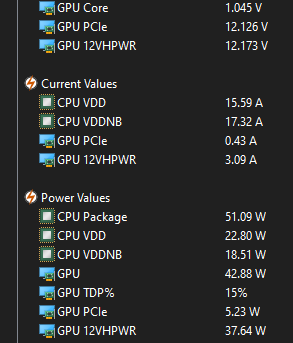
    Expanded sensor monitoring for nVIDIA GeForce RTX 3000 and 4000 series graphics cards, including PCIe and 12VHPWR voltages, as well as power consumption for various input rails.

    Support for the latest hardware technologies

    Multi-threaded OpenCL GPGPU benchmarks, graphics processor, OpenGL and GPGPU details, temperature and cooling fan monitoring for the latest GPUs: AMD Radeon Pro V620, Radeon Pro V620 MxGPU, Radeon RX 7600S, Radeon RX 7600 XT, Radeon RX 7700S; nVIDIA AX800, GeForce RTX 4000 Super Series, GeForce RTX 4090 D, L2, L20, RTX 500 Ada Generation, RTX 1000 Ada Generation, RTX 2000 Ada Generation, RTX 5880 Ada Generation. Gskill WigiDash LCD support. NZXT Kraken 2023 sensor support.

    New features & improvements

    • Dark Mode with 3 dark themes
    • Enhanced sensor monitoring of nVIDIA GeForce RTX 3000 and 4000 Series graphics cards
    • Gskill WigiDash LCD support
    • Icelandic Iceland localization
    • NZXT Kraken 2023 and Kraken Elite sensor support
    • GPU details for AMD Radeon RX 7600 XT
    • GPU details for nVIDIA GeForce RTX 4000 Super Series

    Quelle: Pressemeldung

  • Pressemeldungen

    3DMark Steel Nomad free for all 3DMark users.

    Last month, we introduced you to 3DMark Steel Nomad, our cross-platform successor to Time Spy and Time Spy Extreme as our recommended non-raytracing benchmark.

    We’re happy to announce that Steel Nomad will be a free update for all 3DMark users.

    3DMark Professional Edition customers with a valid annual license will also receive Steel Nomad as a complimentary update.

    Stress Test

    Games and PC hardware have changed significantly since Time Spy launched, and recent high-end hardware is starting to reach the limit of what Time Spy is able to give relevant scores for.

    To appropriately measure the performance of such a wide range of devices, 3DMark Steel Nomad will include two benchmarks:

    Banner image

    Steel Nomad will be our recommended benchmark for measuring the non-raytraced gaming performance of high-end computers running Windows, macOS, and Linux.

    Banner image

    Steel Nomad Light will be our recommended benchmark for measuring the performance of Lightweight devices, such as Windows laptops with integrated graphics, Windows-on-Arm devices, Apple Silicon Macs, iOS, and Android devices.

    Arriving soon

    3DMark Steel Nomad will launch in the first quarter of next year for devices running Windows and Windows-on-Arm on Steam, the Epic Games Store, or direct from UL Solutions. Steel Nomad and Steel Nomad Light for macOS and Linux, and Steel Nomad Light for Android and iOS devices, will launch later in 2024.

    We want 3DMark to provide gamers, overclockers, hardware reviewers and those in industry with a set of gaming benchmarks relevant to real-world gaming performance. With many games featuring a range of ray tracing workloads, a range of benchmarks are also required for a true measurement of a PC’s performance.

    Banner image

    Get a broader view of gaming performance in one application.

    Steel Nomad is designed to sit alongside our three ray tracing benchmarks, Speed Way, Port Royal and Solar Bay, to give you the best understanding of your PC’s gaming performance from a single application.

    • Speed Way is a DirectX 12 Ultimate ray-traced benchmark — and our heaviest benchmark. It will stay our recommended test for those of you looking to measure the full capabilities of the very best hardware available for Windows PC gamers.
    • Solar Bay is our lightest ray-traced benchmark, and our recommendation for those looking to measure the ray tracing performance of lightweight Windows, macOS, iOS, and Android devices.
    • Port Royal is a Windows raytracing benchmark that sits between Speed Way and Solar Bay and helps you build a complete overview of a PC’s raytraced gaming performance.
    • Steel Nomad will be our heaviest non-raytraced benchmark, designed to run on the latest high-end gaming hardware.
    • Steel Nomad Light will be the recommended benchmark for non-raytraced performance on lightweight devices.

    Quelle: Pressemeldung

  • Gefunden im Netz - Pressemeldungen

    FinalWire veröffentlicht AIDA64 v7.00

    Das allseits beliebte Diagnose und Monitoringtool AIDA64 ist in Version 7.00 veröffentlicht worden. Die Highlights lauten:

    Revamped user interface with configurable toolbar

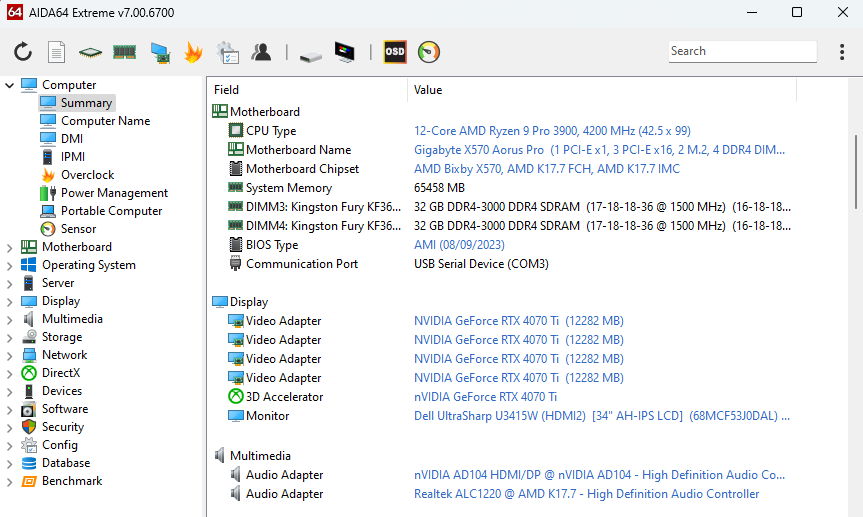
    Introducing a redesigned, cleaner, leaner and more efficient main user interface, featuring a brand-new, customizable toolbar and a powerful search functionality at the top of the window. The toolbar offers complete flexibility, allowing users to choose displayed icons, rearrange them effortlessly, and insert separators for a personalized and intuitive navigation experience. The traditional menu bar is a thing of the past, as its elements find a new home in the kebab menu on the right side. Notably, the AIDA64 CPUID, Cache & Memory Benchmark panel, and GPGPU Benchmark panel have undergone a thoughtful redesign.

    New features & improvements

    • Revamped user interface with configurable toolbar
    • AVX-512 accelerated benchmarks for AMD Ryzen Threadripper 7000 Series processors
    • AVX2 optimized benchmarks for Intel Meteor Lake SoC
    • Enhanced support for AMD TR5 socket motherboards
    • Chipset information for AMD TRX50 and WRX90
    • Improved support for Intel Arrow Lake and Lunar Lake SoC
    • Microsoft Windows 11 2023 Update support
    • Preliminary support for Intel Clearwater Forest and Panther Lake CPU
    • ACPI 6.5 support
    • GPU details for AMD Radeon RX 6750 GRE 12GB
    • GPU details for nVIDIA GeForce RTX 4080 Super

    Quelle: Pressemeldung

  • Pressemeldungen

    FinalWire veröffentlicht AIDA64 v6.92

    Das allseits beliebte Diagnose und Monitoringtool AIDA64 ist in Version 6.92 veröffentlicht worden. Die Highlights lauten:

    New features & improvements

    •  AVX-512 accelerated benchmarks for Intel Sapphire Rapids and Emerald Rapids processors
    • Further optimized AVX-512 Julia and Mandel benchmarks
    • Improved support for AMD Zen 5 processors
    • MSI CoreLiquid AIO LCD support
    • Support for PCI Express 6.0 controllers and devices
    • GPU details for AMD Radeon RX 7700 XT, RX 7800 XT, RX 7900 GRE
    • FMAC methods for FLOPS and IOPS GPGPU benchmarks
    • GPU details for Intel Xe and Xe Max
    • Support for multiple Intel GPUs
    • GPU details for nVIDIA GeForce RTX 4060 Ti 16GB
    • CSV and XML report formats are now supported by AIDA64 Engineer

    Quelle: Pressemeldung