Gefunden im Netz

  • Gefunden im Netz

    Grafiktreiber-Updates vom 19.01.22

    Hier findet ihr die aktuellen Grafikkartentreiber für die relevantesten Anbieter.  Es erfolgen ausschließlich Links zu Windows 10 und 11 in der 64Bit Version. Die unterstützen Modelle seht ihr im Treiber-Link.

    Gekennzeichnet sind die Treiber mit Beta/RC/Optional oder WHQL, in einigen Fällen gibt es auch beides. Eine automatische Aktualisierung via Geforce Experience oder Radeon Settings empfehle ich nicht. Genaue Details und Changelogs findet ihr in den jeweiligen Links zu den Treibern.

    AMD:

    NVIDIA:

  • Gefunden im Netz - Inside Drago - Inside Panda - Reviews & Erfahrungsberichte

    Übersee->Nordsee->Kiesgrube

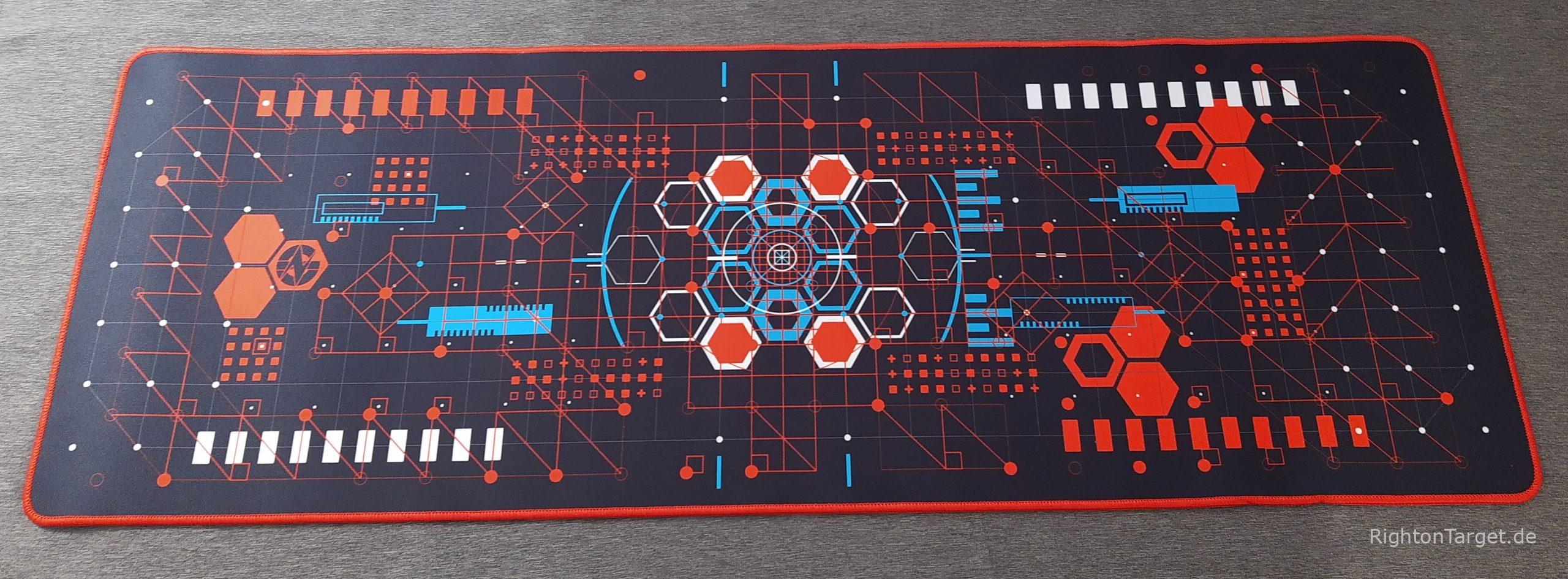
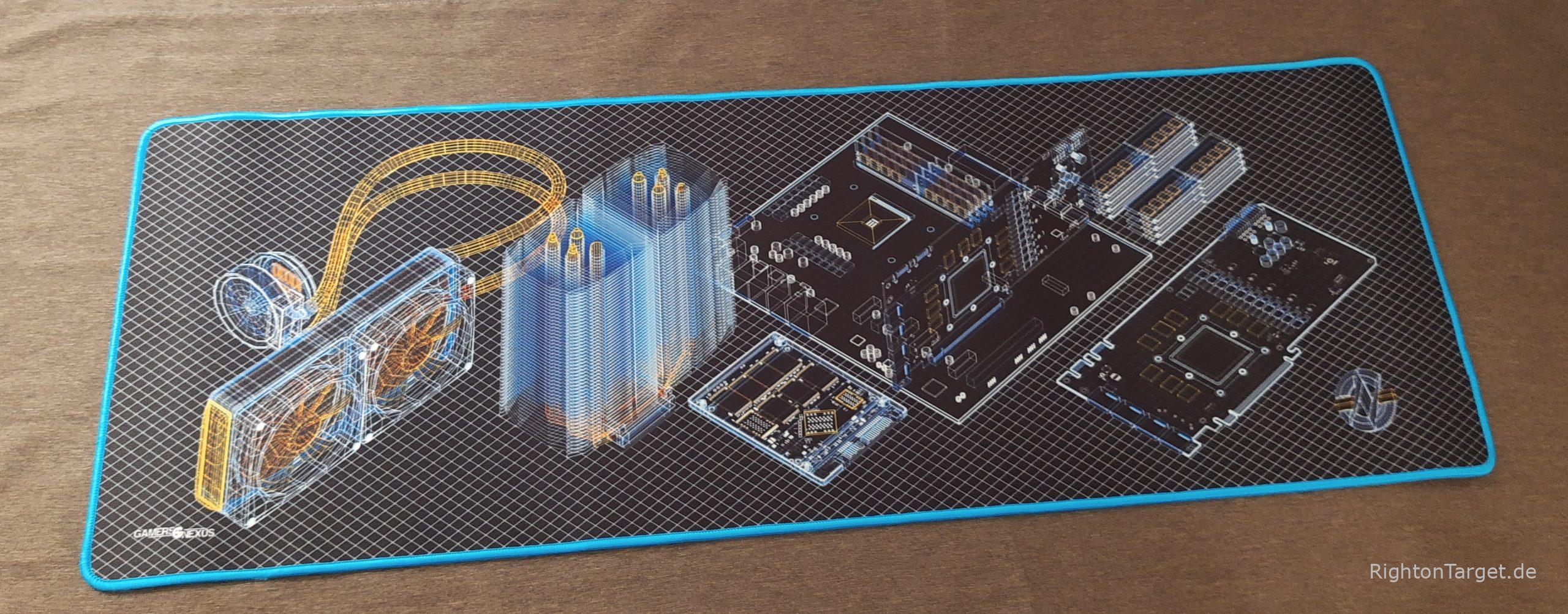
    Nachdem euch Chaospanda ja schon geteasert hat, hier nun die kurze Auflösung. Chaos und ich haben neue Mousemats in den US of A bestellt. Warum dort? Steve und sein Team von Gamers Nexus sind eine der wenigen Publikationen im Netz, die es in Print- und Videoform schaffen neutrale, sachliche und kritische Reviews in Bezug zur Tech-Industrie zu verfassen.

    Deren Fanbasis sorgt im dortigen Store dafür, dass dieses Team so gut wie möglich unabhängig von den Herstellern und Werbeeinnahmen arbeiten kann. Daher entschieden wir uns für ein Produkt von GN, statt eines generischem oder eines der anderen Anbieter.

    Daher gilt unsere Empfehlung dem YouTube-Kanal von Gamers Nexus und deren Website.

    Zum Abschluss also noch das, was wir uns geleistet haben.

  • Gefunden im Netz - Inside Drago - Inside Panda - Reviews & Erfahrungsberichte

    Ein nicht alltäglicher Einkauf in Übersee

    Im Laufe des Jahres 2021 reifte der Wunsch  nach einer schicken Unterlage für Maus und Tastatur.

    Zum Jahreswechsel war es dann soweit. Drago und ich fanden etwas passendes und ich machte mich ans Bestellen.

    Kurz nach Weihnachten ging dann also die Bestellung raus und wir stellten uns auf eine längere Lieferzeit ein – Pandemie und so…

    Um so erfreulicher war es, als knapp drei Wochen später ein Zettel im Briefkasten lag, ich kann das Päckchen abholen und es mitnehmen, wenn ich denn noch Zollgebühren da ließe.

    Gesagt getan und nach dem zweiten Versuch – beim Ersten war schon zu – lag dann dieses kleine knuffige Päckchen vor mir.

    Ihr fragt euch sicher, was sich darin befindet. Achtung Teaser:


  • Gefunden im Netz

    Grafiktreiber-Updates vom 14.01.22

    Hier findet ihr die aktuellen Grafikkartentreiber für die relevantesten Anbieter.  Es erfolgen ausschließlich Links zu Windows 10 und 11 in der 64Bit Version. Die unterstützen Modelle seht ihr im Treiber-Link.

    Gekennzeichnet sind die Treiber mit Beta/RC/Optional oder WHQL, in einigen Fällen gibt es auch beides. Eine automatische Aktualisierung via Geforce Experience oder Radeon Settings empfehle ich nicht. Genaue Details und Changelogs findet ihr in den jeweiligen Links zu den Treibern.

    AMD:

    NVIDIA:

  • Gefunden im Netz

    CES-Tech-Recap

    Die CES fand vom 05.01. bis zum 08.01.2022 statt und hat auch rund um den Event herum Einblicke in kommende Technik gegeben. Hier nun ein kleiner Überblick über das, was aus meiner Sicht herausstechend war.

    In vieler Münde ist und war natürlich der BMW der mit E-Ink-Displays außen an der Karosserie ausgestattet ist und damit die Farbe wechseln kann. Wie man sich das vorstellen kann, zeigt das folgende GIF.

    Mehr Informationen dazu findet ihr zum Beispiel bei Golem und Autofilou.

    Was gab es sonst noch? Samsung und LG haben beide neue Displaytypen vorgestellt. Samsung hat dabei Quantum Dots mit einem OLED-Panel kombiniert und erklärt wird das hier. Bei LG gibt es eine verbesserte Version ihrer OLED-Panels in Form der evo-Reihe.

    Von AMD und nvidia gab es alles Mögliche an neuen nicht kaufbaren Produkten von der RTX 3050, 3090 Ti oder der RX 6500 XT oder dem Ryzen 5800X3D. Letzterer verfügt über einen massiven 96MB großen L3-Cache. Zu Zen 4 und dem neuen AM5 Sockel findet ihr dort einiges.

    Was gab es sonst noch? Jede Menge neue EVs, mehr „Smarthome“ und natürlich Autos die man in Zukunft generell per APP öffnen kann, also zumindest dann, wenn alles funktioniert.

    Für unsere Landwirte ist vielleicht der komplett autonom agierende „Traktor“ von John Deere von Interesse, der bisher neue Höchstleistungen im Bereich der Autonomie für Landfahrzeuge erreicht.

    Das soll es auch schon gewesen sein an unseren Highlights. 

  • Gefunden im Netz

    Grafiktreiber-Updates vom 20.12.21

    Hier findet ihr die aktuellen Grafikkartentreiber für die relevantesten Anbieter.  Es erfolgen ausschließlich Links zu Windows 10 und 11 in der 64Bit Version. Die unterstützen Modelle seht ihr im Treiber-Link.

    Gekennzeichnet sind die Treiber mit Beta/RC/Optional oder WHQL, in einigen Fällen gibt es auch beides. Eine automatische Aktualisierung via Geforce Experience oder Radeon Settings empfehle ich nicht. Genaue Details und Changelogs findet ihr in den jeweiligen Links zu den Treibern.

    AMD:

    NVIDIA:

  • Gefunden im Netz

    Teamspeak 5 Beta Update 5.0.0-beta67

    Es gibt einen neuen Teamspeak 5 Beta Client.

    Beta 67 Changelog:

    • Fixed images pasted into chat not having a proper file name in some scenarios
    • Fixed an issue where channel chat could show a different nickname than server tree
    • Fixed not showing an error when changing your nickname on a server failed
    • Fixed a minor issue in Linux desktop file
    • Fixed an issue with open private chat not working correctly
    • Fixed context menus not opening correctly in some cases
    • Fixed not loading the current theme file from disk when refreshing themes
    • Fixed missing multi select menu
    • Fixed a crash on Linux / Mac
    • Fixed icon cache not being used in some cases
    • Fixed wrong / missing error codes when uploading files in some scenarios
    • Fixed opening random chats when double clicking own client
    • Fixed an issue creating folders
    • Fixed an issue with room discovery not updating when switching modes
    • Fixed an issue requiring a client restart after removing an audio device
    • Fixed settings not updating when the system audio devices changed
    • Fixed several issues with ignored users
    • Fixed bookmarks having a broken icon when cache was cleared
    • Fixed not showing some permissions
    • Added loading indicator to server icon view
    • Added default myteamspeak.com server when adding contacts
    • Reduced the priority speaker icon size
    • Removed animation from talk power request icon when client is not in focus
    • Removed pin and delete message option from context menu for events
    • Updated chromium

    Quelle: beta67

  • Gefunden im Netz

    Teamspeak 5 Beta Update 5.0.0-beta66

    Es gibt einen neuen Teamspeak 5 Beta Client.

    Beta 66 Changelog:

    • Added support for pasting teamspeak:// links into the search bar
    • Added support for using teamspeak:// links as bookmark address
    • Added drag and drop support to add a group chat to an existing category
    • Added support for removing a contact / room category with drag and drop
    • Added unread indicator for collapsed contact / room categories
    • Added external URL warning for all non-teamspeak.com URLs
    • Added information about connection time to connection info of clients
    • Added away message, microphone and speaker status information to client info panel
    • Fixed pinned messages not being shown as chat message
    • Fixed read indicator not being sent while having the chat opened and focused
    • Fixed bookmark sorting breaking sometimes
    • Fixed bookmark’s default channel not being saved correctly sometimes
    • Fixed message grouping
    • Fixed potentially creating multiple start menu entries
    • Fixed icons scaling in channel / server info panel
    • Fixed event log for kicks and bans that did not specify a reason message
    • Fixed „user left your channel“ being shown when user was kicked, banned or disconnected
    • Fixed not selecting the active client when multi selecting. Should behave as expected now
    • Fixed collapse state for contact / room categories getting lost
    • Fixed channel join / leave messages being twice as big as intended sometimes
    • Fixed an issue where sometimes messenger state would be invisible without user interaction
    • Fixed use privilege key input field not having keyboard focus
    • Fixed teamspeak:// links not working properly in some cases
    • Fixed client not gaining focus when clicking teamspeak:// links in a different application
    • Fixed not showing all channels in icon manager when setting channel icon using the context menu
    • Fixed away message not updating when pressing enter in the input field
    • Fixed not showing channel chat in some rare cases
    • Fixed status buttons not showing proper state when disconnected
    • Fixed not showing chat view when clicking an activity that previously had a different view selected
    • Fixed shared server tooltip not being visible in some cases
    • Fixed a rare case in which exiting the client could be delayed
    • Fixed PTT not working correctly in some rare cases
    • Fixed custom status message not being limited. Limit is now 100 characters
    • Fixed display of some third party licenses
    • Fixed archived contacts not being displayed with some specific combination of application settings
    • Fixed not having focus on privilege key text input
    • Fixed context menus showing headers without actions
    • Fixed empty context menu being displayed in some cases
    • Improved user-specific context menus in chats
    • Improved timestamps in bubble chat
    • Improved system notification popup and sounds
    • Changed the support URL in about dialog
    • Changed activity group indicator
    • Updated log format
    • Massive internal changes to adjust for new server versions and upcoming features
    • Installer: Offer to install the client for the current user only, rather than system wide

    Quelle: beta66

  • Gefunden im Netz

    Teamspeak 5 Beta Update 5.0.0-beta65.x/64

    Es gibt einen neuen Teamspeak 5 Beta Client. Teamspeak 5 bekommt ihr nun auch als Electron Version im Windows 11 Store als App. Mehr dazu findet ihr bei Computerbase.

    Beta 65 Changelog:

    Hi ho,
    Today we have released beta 65 and this update adds the ability to encrypt chats with your contacts.

    For now this does not happen automatically and only contacts can be encrypted. In later versions, private rooms and contacts will be encrypted automatically.

    Added ability to encrypt private chats with other contacts
    Fixed editing the default channel on the server without making any changes

    ##### Information

    Encryption can be enabled in the context menu of a contact. If you experience issues with encrypted chats please let us know and provide log files. Remove a contact and add them again (and don’t enable encryption again) to resolve issues in the meantime.

    We suggest…

    … to wait 1-2 days with encryption and give your contacts a chance to update their client or else their older beta client can’t encrypt your messages.
    Nice to know

    • Encryption was originally added in July, but was only enabled for Alpha Testers and Employees, so it could be that some of your contacts are encrypted already and you never noticed it.
    • Wait a minute?!? So it was added in previous versions already, but the old client can not decrypt my messages? Yes we made a drastic and required change to encryption that the older client does not understand.
    • The encryption key(s) are synced to your myTS account. The key has the same AES encryption as the rest of the synced part. This means we do not know your key and it will be lost on password reset without the recovery key.
    • After a password reset without recovery key (Fallback), encrypted chats that are not in cache already can not be decrypted from your client. In addition to the myTS key cache there is an additional process to share a room key via the messenger protocol. But this requires a online contact that has the required key.
    • For contacts that have been added more than a year ago, encryption may fail because you lack permissions. To fix this your contact can start the encryption or you re add the contact and both get admin.

    Beta 64 Changelog:

    Beta 64 was released into our beta channel.

    In this version we added that you can set yourself a custom away message on the TS server.
    You find it in the drop down menu which becomes active as soon you connect to one server.

    You now can drag and drop your contacts to move them into existing custom categories.
    Hint: To create such category make a right click on a contact in the contact list.

    • Fixed unread counter not appearing for channel chat
    • Fixed not showing mentions, emojis and spoilers properly in Windows notifications
    • Fixed channel chat not giving an unread indicator in the activities
    • Fixed rare crash on connect
    • Fixed teamspeak:// links in channel description not working
    • Added drag and drop support to add a contact to an existing category
    • Added use privilege key option again which went AWOL
    • Added separation line below audio test record option
    • Added custom away status feature
    • Remove notification bell pulse effect when client is not in focus to reduce
      GPU load with current Nvidia drivers
    • Updated chromium

    Quellen: Beta65, Beta64

  • Gefunden im Netz

    Grafiktreiber-Updates vom 05.10.2021

    Hier findet ihr die aktuellen Grafikkartentreiber für die relevantesten Anbieter.  Es erfolgen ausschließlich Links zu Windows 10 und 11 in der 64bit Version. Die unterstützen Modelle seht ihr im Treiber-Link.

    Gekennzeichnet sind die Treiber mit Beta/RC/Optional oder WHQL, in einigen Fällen gibt es auch beides. Eine automatische Aktualisierung via Geforce Experience oder Radeon Settings empfehle ich nicht. Genaue Details und Changelogs findet ihr in den jeweiligen Links zu den Treibern.

    AMD:

    NVIDIA: