• Sonstiges

    Teamspeak 5 Beta Update 5.0.0-beta36

    Es gibt einen neuen Teamspeak 5 Beta Client. Angekommen sind wir bei der beta36.

    Changelog:

    A new beta was released and this time it will bring you back the banlist!

    This list can be found from admins when you right-click on the server name for the context menu or just click on the server. There you will find the Ban Hammer :smiley:

    • New feature to allow viewing and managing bans
    • Allow creating new bans manually
    • Fix server tree not updating when a user is renamed, the talk power changed or a channel was moved
    • Fix messages not being marked as read when client is active
    • Improve message scrolling
    • Update Chromium version
    • Various minor improvements and bug fixes

    Known issues

    • Old pinned messages might not be shown for new accounts

    Quelle: Teamspeak Community

  • Sonstiges

    Teamspeak 5 Beta Update 5.0.0-beta35

    Es gibt einen neuen Teamspeak 5 Beta Client. Angekommen sind wir bei der beta35.

    One week has past since beta 34 was released and it’s time to send beta 35 into our closed beta channel.

    * Fix pinned message offset in slim mode
    * Fix pinned message visibility not updating correctly when switching rooms
    * Chat maintains position when loading dynamic content currently in view
    * Fix chat not scrolling down when resizing the window
    * Fix channel description, topic and server welcome message not showing up
    * Add Windows 10 start menu tile support
    * Fix issues with the application icon using the wrong resolution
    * Fix sort order of clients not getting updated after nickname change
    * Various minor improvements and bug fixes
    

    Known issues

    * Old pinned messages might not be shown for new accounts
    

    Quelle: Teamspeak Community

  • Sonstiges

    Teamspeak 5 Beta Update 5.0.0-beta34

    Es gibt einen neuen Teamspeak 5 Beta Client. Angekommen sind wir bei der beta34.

    A new week a new Beta!
    We just pushed a new update into our closed beta channel.

    We improved the way how servers are shared to others and how you see it for yourself.

    The changelog here is a bit different then in the client

    ! TeamSpeak is going back to the roots remembering its core values. Big thanks to our community and our users for your trust and continued support. We would be nothing without you!

    * Add indicator in contact list when a server is being shared
    * Add indicator in lower left corner when you are sharing a server
    * Share up to 5 connected servers
    * Toggle sharing from the connected server context menu
    * Fix client volume slider not showing correct value
    * Several improvements regarding chat scrolling
    * Room user list is sorted case insensitively
    * Various minor improvements and bug fixes
    * Updated UI with our new logo.

    Quelle: Teamspeak Community

  • Sonstiges

    Teamspeak 5 Beta Update 5.0.0-beta33

    Es gibt einen neuen Teamspeak 5 Beta Client. Angekommen sind wir bei der beta33.

    Changelog:

    Today we released beta 33 of our closed TS5 Beta.

    This release allows you to share the server with your contacts and you do not have to manually send the server any longer. Any contact just needs to make a right-click on you and and select to join. The current active server tab is shared to your contacts.

    Under Privacy settings you can decide if you want to enable or disable this in general.
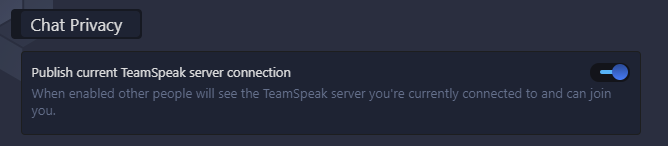
    grafik

    And if enabled you also can decide which of your bookmarks is shared to your contacts.
    We left your old bookmarks untouched. Privacy first :male_detective:
    grafik

    Any creative feedback for this is welcome.

    More features and changes or fixes

    When not using a previously (before this update) existing bookmark, the TeamSpeak server you are connected to will be published to everyone you share a room with or have on your contacts list unless disabled in the bookmark or globally.

    • Download directory for files is now configurable
    • Option to ask for download every time or just download to configured folder
    • Ability to open downloaded files
    • Open chat on TeamSpeak servers use global chat system if you have the person as a contact
    • When sending a single emoji it will now be displayed bigger in detailed chat
    • Ability to join the current TeamSpeak server of a contact. Sharing the current server can be disabled in privacy settings or individually in the bookmark
    • Fix sent messages showing up twice
    • Fix a crash related to animated avatars
    • Add ability to discard the pinned message
    • Fix channel chat not showing new messages in some cases
    • Various minor improvements and bug fixes

    Quelle: Teamspeak Community

  • Sonstiges

    Teamspeak 5 Beta Update 5.0.0-beta32

    Es gibt einen neuen Teamspeak 5 Beta Client. Angekommen sind wir bei der beta32.

    Changelog beta32:

    Please note that all users have an additional @myteamspeak.com tag. The old tschat-1.teamspeak.com 5 is still working for now, but might be removed in the future. Please use the myteamspeak.com 3 tag when sharing your user tag.

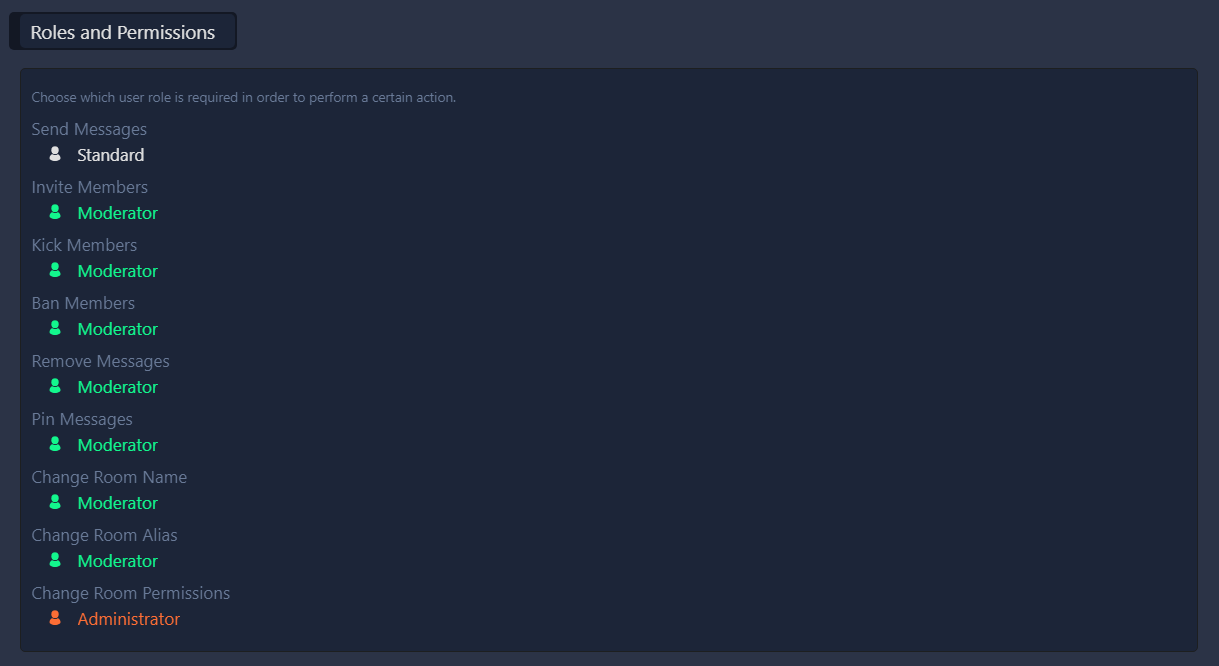
    • Show permission level behind user names in chat rooms
    • New feature for discovering existing chat rooms
    • Ability to add a contact from the server tree context menu
    • Fix YouTube videos sometimes not showing up correctly
    • Fix an issue with hotkeys after losing connection to a server
    • Various minor improvements and bug fixes

    Quelle: Teamspeak Community

  • Sonstiges

    Teamspeak 5 Beta Update 5.0.0-beta31

    Es gibt einen neuen Teamspeak 5 Beta Client. Angekommen sind wir bei der beta31.

    Changelog beta31:

    • Fix issues causing own presence status showing the wrong state
    • Fix switch to channel chat button not working in all cases
    • Update favorite contact / room indicator
    • Remove image preview for server chat, as image sending is not supported on server chats
    • Remove standard permission level for permission levels where it does not make sense
    • Limit notifications
    • Update contact avatars on client launch
    • Fix pinned messages not showing parsed content
    • Add support for drag and drop of files into the chat window (non server chats)
    • Fix settings category headers not fitting into the window in slim mode
    • Fix incoming chat messages not opening activity
    • Fix channel being ignored in share server
    • Various minor improvements and bug fixes

    Quelle: Teamspeak

  • Sonstiges

    Teamspeak 5 Beta Update 5.0.0-beta30

    Es gibt einen neuen Teamspeak 5 Beta Client. Angekommen sind wir bei der beta30.

    Changelog beta30:

    • Fix online status when using the same account on multiple clients
    • Disable UI elements when you do not have relevant permissions
    • Fixed a bug that caused ts3image urls only working with lower case file names
    • Fixed an issue with file preview and uploads containing certain characters in the file or path name
    • Made chat input field more responsive
    • Fix Linux clipboard image upload
    • Add option to ignore users from user name context menu in room messages
    • Fixed potential UI crash
    • Add ability to close poke popup
    • Updated Chromium version
    • Various minor improvements and bug fixes

    Known issues

    • Drag and Drop of images into the client window is not currently supported
    • Pinned messages do not currently show parsed content (clickable links etc)

    Quelle: Teamspeak

  • Sonstiges

    Teamspeak 5 Beta Update 5.0.0-beta29/29.1

    Es gibt einen neuen Teamspeak 5 Beta Client. Angekommen sind wir bei der beta29.1.

    Changelog beta29.1:

    • Fixed room permissions resetting to default when changing member role

    Changelog beta29:

    • This update is mostly filled with minor improvements and bug fixes. They added a couple of new things like chat permission and an option to mute contacts.

    Quellen: Teamspeak NEWS 1 & 2

  • Gefunden im Netz

    Wusstest du schon? TeamSpeak 5 #1

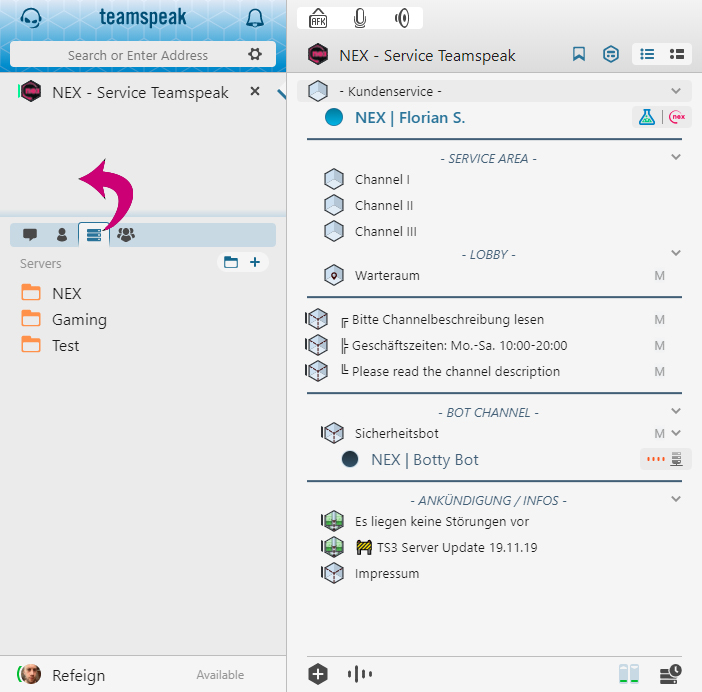
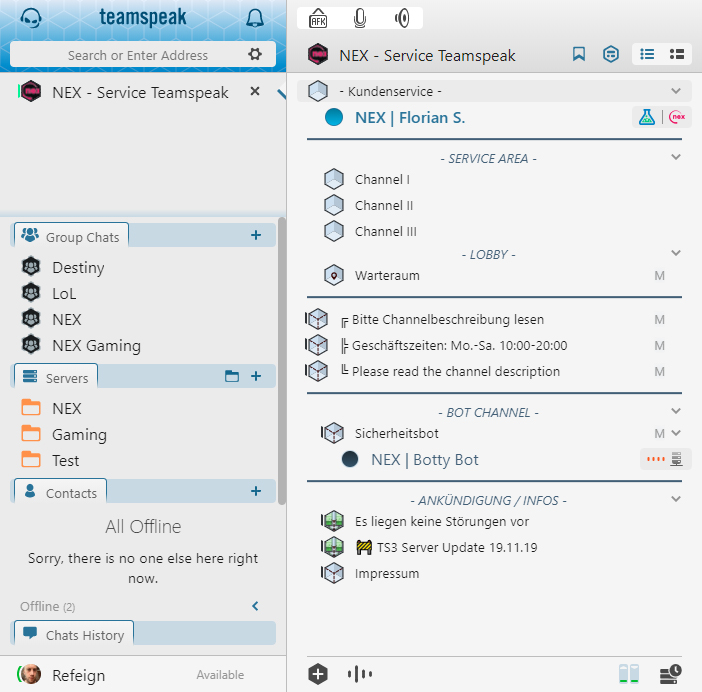
    Wusstest du schon, dass man im TeamSpeak 5 Client die Icons auf der linken Seite im Bookmark-Menü auch herausziehen und so nach Belieben anordnen kann?


    Um die Icons oder gar Kategorien neu anzuordnen, klickst du einfach auf ein beliebiges Icon und positionierst es an der gewünschten Stelle.


    Wer weniger Klicken möchte und eine sofortige Übersicht über das Geschehen in seinem TeamSpeak-Universum haben möchte, dem kommt diese Möglichkeit vermutlich sehr gelegen. Einfach ausprobieren!

    Zur Verfügung gestellt mit freundlicher Genehmigung von NEX Teamspeak.

    Quelle: NEX Teamspeak Blog

  • [TRYIT]

    Teamspeak 3 Server Update 3.7.0

    Es gab am 24.03.2019 ein Update für unseren TS3-Server. Angekommen sind wir bei der Version 3.7.0. Unser Hoster nexteamspeak hat sich um das Update gekümmert.

    Downtime:

    Wir führen am Mittwoch, dem 26.12.2018 zwischen 09:00 – 10:00 Uhr das Hotfix Update auf die aktuelle Teamspeak Server Version 3.5.1 durch. Die Server werden während diesem Zeitraum für etwa 5 Minuten nicht erreichbar sein.

    Quelle: nex teamspeak

    Changelog:

    We improved the speed when ServerQuery requests the clients from database with command clientdblist

    The permissions for ancient audio codecs Speex and CELT got removed.
    The codecs can not be set on channel anymore. Channels where the codec was set before still can be used.

    In future release we will drop these codecs completely.
    Admins can now see in the server log who deleted the avatar from a user when client logging was active.

    The connected ServerQuery will not show the IP in the nickname any longer. Admins can see the IP in the server log or via clientinfo command (see changelog).

    Linux users should read this:
    This is the last server version allowing glibc 2.12 to be used. The next server requires that at least glibc 2.17 is available on your system.

    Quelle: Teamspeak und vollständiges Changelog